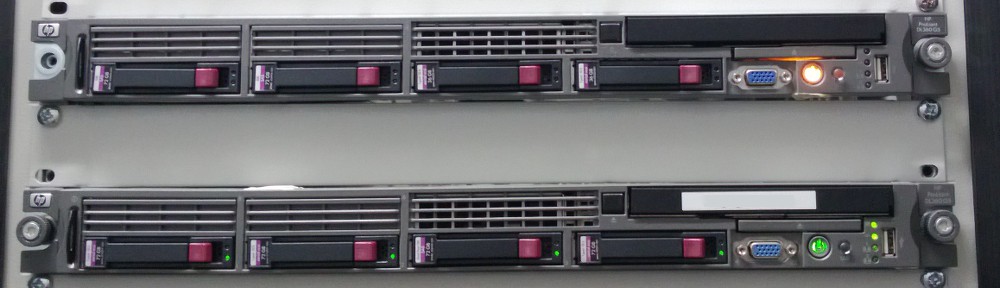
Södale, ich habe nun einfach schnell ‘ne Pizzaschachtel (FSC Scenic Xs) installiert, die hat noch die guten alten RS‐232-Ports, an die ich meinen Conrad C-Control-Programmer dran hängen kann, der letztlich mit den Zugang zur seriellen Schnittstelle des DockStar liefert. Und was sehen meine entzündeten Augen?
 U-Boot 1.1.4 (Jul 16 2009 - 21:02:16) Cloud Engines (3.4.16)
U-Boot code: 00600000 -> 0067FFF0 BSS: -> 00690D60
Soc: 88F6281 A0 (DDR2)
CPU running @ 1200Mhz L2 running @ 400Mhz
SysClock = 400Mhz , TClock = 200Mhz
DRAM CAS Latency = 5 tRP = 5 tRAS = 18 tRCD=6
DRAM CS[0] base 0x00000000 size 128MB
DRAM Total size 128MB 16bit width
Flash: 0 kB
Addresses 8M - 0M are saved for the U-Boot usage.
Mem malloc Initialization (8M - 7M):?Done
NAND:256 MB
CPU : Marvell Feroceon (Rev 1)
CLOUD ENGINES BOARD: REDSTONE:1.0
Streaming disabled
Write allocate disabled
USB 0: host mode
PEX 0: interface detected no Link.
Net: egiga0 [PRIME], egiga1
Hit any key to stop autoboot: 0
Saving Environment to NAND...
Erasing Nand...Writing to Nand... done
Unknown command 'usb' - try 'help'
** Block device usb 0 not supported
## Booting image at 00800000 ...
Bad Magic Number
CE>>
Nunja. Nicht schön, aber …
CE>> help
? - alias for 'help'
base - print or set address offset
boot - boot default, i.e., run 'bootcmd'
bootd - boot default, i.e., run 'bootcmd'
bootext2 dev:boot_part1,boot_part2 addr boot_image linux_dev_name
bootm - boot application image from memory
bootp - boot image via network using BootP/TFTP protocol
bubt - Burn an image on the Boot Nand Flash.
chpart - change active partition
cmp - memory compare
cmpm - Compare Memory
cp - memory copy
cpumap - Display CPU memory mapping settings.
crc32 - checksum calculation
date - get/set/reset date & time
dclk - Display the MV device CLKs.
dhcp - invoke DHCP client to obtain IP/boot params
diskboot- boot from IDE device
echo - echo args to console
eeprom - EEPROM sub-system
erase - erase FLASH memory
ext2load- load binary file from a Ext2 filesystem
ext2ls - list files in a directory (default /)
fi - Find value in the memory.
flinfo - print FLASH memory information
fsinfo - print information about filesystems
fsload - load binary file from a filesystem image
g - start application at cached address 'addr'(default addr 0x40000)
go - start application at address 'addr'
help - print online help
icrc32 - checksum calculation
ide - IDE sub-system
iloop - infinite loop on address range
imd - i2c memory display
imm[.b, .s, .w, .l] - i2c memory modify (auto-incrementing)
imw - memory write (fill)
inm - memory modify (constant address)
iprobe - probe to discover valid I2C chip addresses
ir - reading and changing MV internal register values.
loop - infinite loop on address range
ls - list files in a directory (default /)
map - Diasplay address decode windows
md - memory display
me - PCI master enable
mm - memory modify (auto-incrementing)
mp - map PCI BAR
mtdparts- define flash/nand partitions
mtest - simple RAM test
mv_diag - perform board diagnostics
mw - memory write (fill)
nand - NAND sub-system
nboot - boot from NAND device
nbubt - Burn a boot loader image on the Boot Nand Flash.
nm - memory modify (constant address)
pci - list and access PCI Configuration Space
phyRead - Read PCI-E Phy register
pciePhyWrite - Write PCI-E Phy register
phyRead - Read Phy register
phyWrite - Write Phy register
ping - send ICMP ECHO_REQUEST to network host
printenv- print environment variables
protect - enable or disable FLASH write protection
rarpboot- boot image via network using RARP/TFTP protocol
reset - Perform RESET of the CPU
resetenv - Return all environment variable to default.
run - run commands in an environment variable
saveenv - save environment variables to persistent storage
se - PCI Slave enable
setenv - set environment variables
sflash - read, write or erase the external SPI Flash.
sg - scanning the PHYs status
sp - Scan PCI bus.
tftpboot- boot image via network using TFTP protocol
version - print monitor version
CE>>
… noch scheint nicht aller Tage Abend zu sein. Ok, der nächste Schritt wird jetzt etwas dauern, denn nun muß ich wohl mich erstmal ein wenig einlesen, wie ich diese selbts beigefügte Scharte wieder auswetze ;) (Interessant, daß es ein »Cloud Engines«-Board ist; hat Seagate also echt nur dazugekauft? Witzig …)
Oh. Das scheint ja simpel zu sein:
CE>> run bootcmd_MLL_no; run oldbootcmd
Saving Environment to NAND...
Erasing Nand...Writing to Nand... done
NAND read: device 0 offset 0x100000, size 0x300000
Reading data from 0x3ff800 – 100% complete.
3145728 bytes read: OK
## Booting image at 00800000 ...
Image Name: Linux-2.6.22.18
Created: 2009-08-31 23:31:05 UTC
Image Type: ARM Linux Kernel Image (uncompressed)
Data Size: 1976384 Bytes = 1.9 MB
Load Address: 00008000
Entry Point: 00008000
Verifying Checksum ... OK
OK
Starting kernel ...
Uncompressing Linux.............................................................
Das waren dann erstmal die letzten Worte; mal Ethernet ankabeln, ob die Box da gesprächiger ist.